Feed your AI tools
AI video tools are picky about formats and frame rates. Give them exactly what they ask for.
MOV to MP4, and back
Verto for Mac
Drop a file or paste a link, choose what it’s for, and you’re done. Images, video, audio and PDFs, converted right on your Mac.
Free, macOS 13 or later, Apple silicon
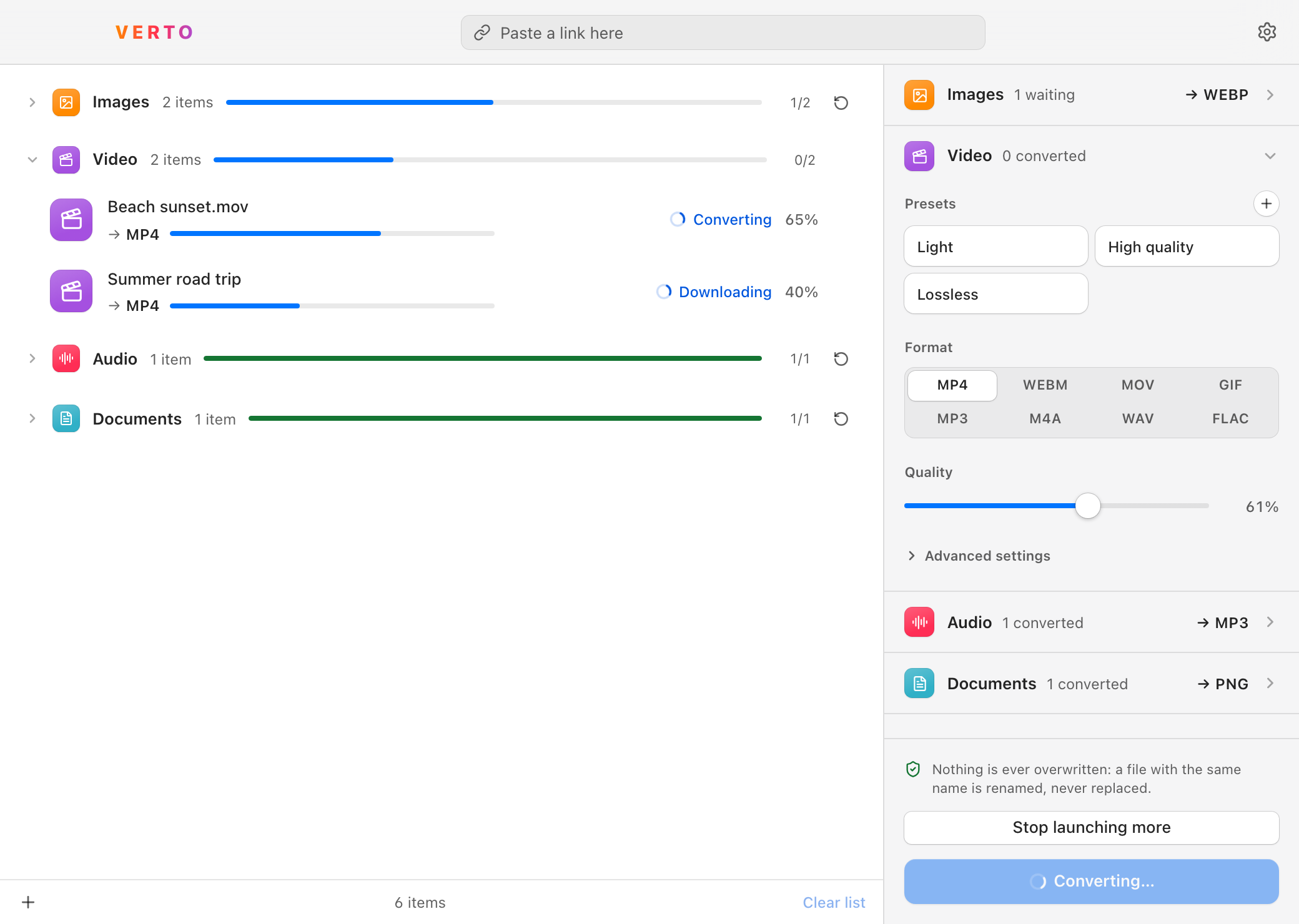
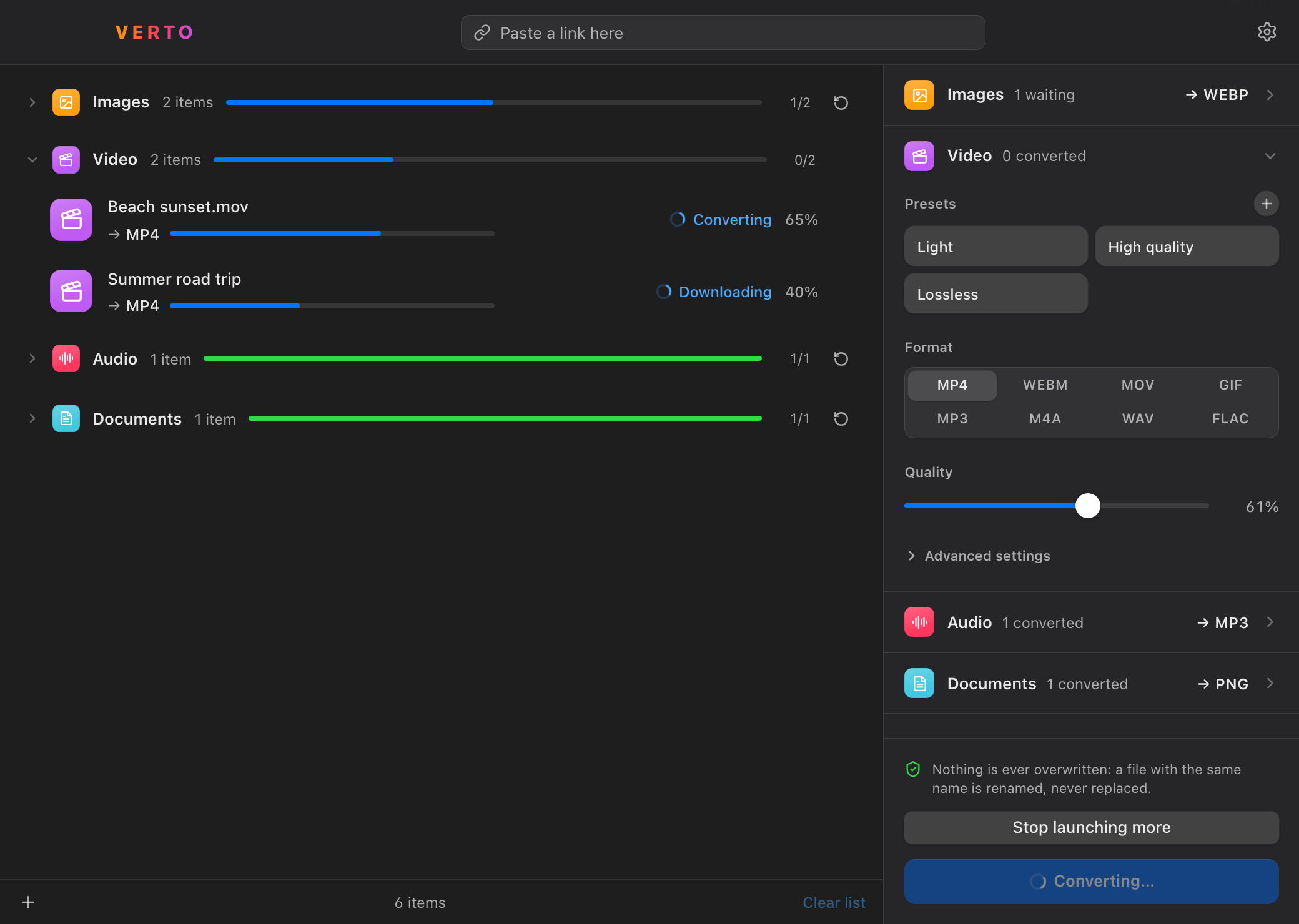
A file from your Mac and a file from the web are treated exactly alike: they land in the same list, under the same settings.

AI tools, messages, websites, archives — same app, same gesture.
AI video tools are picky about formats and frame rates. Give them exactly what they ask for.
MOV to MP4, and back
Too heavy for a message or an email? Make it light enough to go.
WAV to MP3, and back
Light images and video for your site — a whole batch at once.
PNG to WEBP, and back
Get out of Apple-only formats like HEIC and MOV, into open ones any computer can read.
HEIC to PNG
Presets are named after what you want. And when you do want a specific format, it’s right there, by its name.
Presets
Exactly what AI tools ask for.
Formats, by name
Settings are chosen per family of files. Drop fifteen files and you set two panels — not fifteen.
A file with the same name is renamed, never replaced. Your originals stay exactly as they were.
If a file can’t be converted, the others carry on without it.
Everything is converted right on your Mac. Nothing is uploaded to a server.
The system font, your accent color, light or dark along with the rest of your Mac. And it speaks seven languages.

Verto is Latin for “I turn” — the root of “convert.”
Free, macOS 13 or later, Apple silicon
Needs a Mac with Apple silicon (M1 or later). Macs with Intel processors aren’t supported.